For development teams with in-house QA/testers tired of back-and-forth bug reports
No more
"Can't reproduce."
QA testers report bugs with one click from the widget. Screenshots, browser, OS, console errors, and interaction steps are automatically attached — eliminating the back-and-forth when developers say 'not enough information.' Reports go straight to structured GitHub Issues.
See it in action
A demo video showing the full flow from submitting a bug report via the widget — with automatic screenshot and environment data collection — to auto-creating a GitHub Issue.
30 sec
Average bug report time
Zero
Bouncebacks from missing info
Free
No credit card required
The real cost isn't reporting — it's the back-and-forth
Bounced back as "cannot reproduce"
Missing information means developers push the report back. QA re-answers questions and rewrites the report. Multiple round-trips per bug.
The same questions, every time
"What browser?" "What OS?" "Any console errors?" — The questions developers always ask get repeated with every single report.
One bug sits idle for days
Missing info → bounce back → re-report. A simple bug can sit untouched for a week. The real cost isn't fix time — it's the waiting.
7 features that end the back-and-forth
One-click screenshot & annotation
Click the widget button to capture the page instantly. Draw circles to highlight problem areas. Use our Chrome extension for pixel-perfect screenshots.
Auto-collected environment data
Browser, OS, viewport, console errors, network errors, and user interaction steps—all captured automatically.
GitHub Issue auto-creation
Bug reports are automatically converted to structured GitHub Issues with labels and all the context AI tools need.
AI-ready bug reports
Structured data that Cursor and Claude Code can pick up directly from GitHub Issues and fix automatically.
Slack notifications
Get instant Slack notifications when bug reports come in. Supports both Webhook and Bot modes with threaded status updates.
Notion database sync
Auto-sync bug reports to a Notion database. Rows with status, severity, and environment info are created automatically, and status changes stay in sync.
MCP Server Support
Access bug information directly from Claude Code or Cursor via MCP. List bugs, view details, and update statuses without leaving your editor.
The question is already answered when the report arrives
3 steps, zero back-and-forth
- One-click
Done in 30 seconds
Circle the problem area and hit send. That's it. Screenshots, browser, OS, console errors, and interaction logs are automatically attached.
- Auto-collected
Every question developers ask, already answered
Browser, OS, viewport, console errors, and reproduction steps. Everything is ready the moment the report is submitted. There's nothing left to ask.
- GitHub Issue
Zero bouncebacks
One click creates a GitHub Issue with labels, environment info, and reproduction steps. Developers can start working the moment they receive it.
Better for everyone on the team
QA / Testers
- Report in one click, done
- Zero bouncebacks
- No more frustration of being misunderstood
Developers
- Receive reports with everything filled in
- No need to say "cannot reproduce"
- Start working faster
Managers
- Bug idle time becomes visible
- QA-to-dev back-and-forth disappears
- Less wasted communication during crunch
Report bugs from real-device testing, instantly
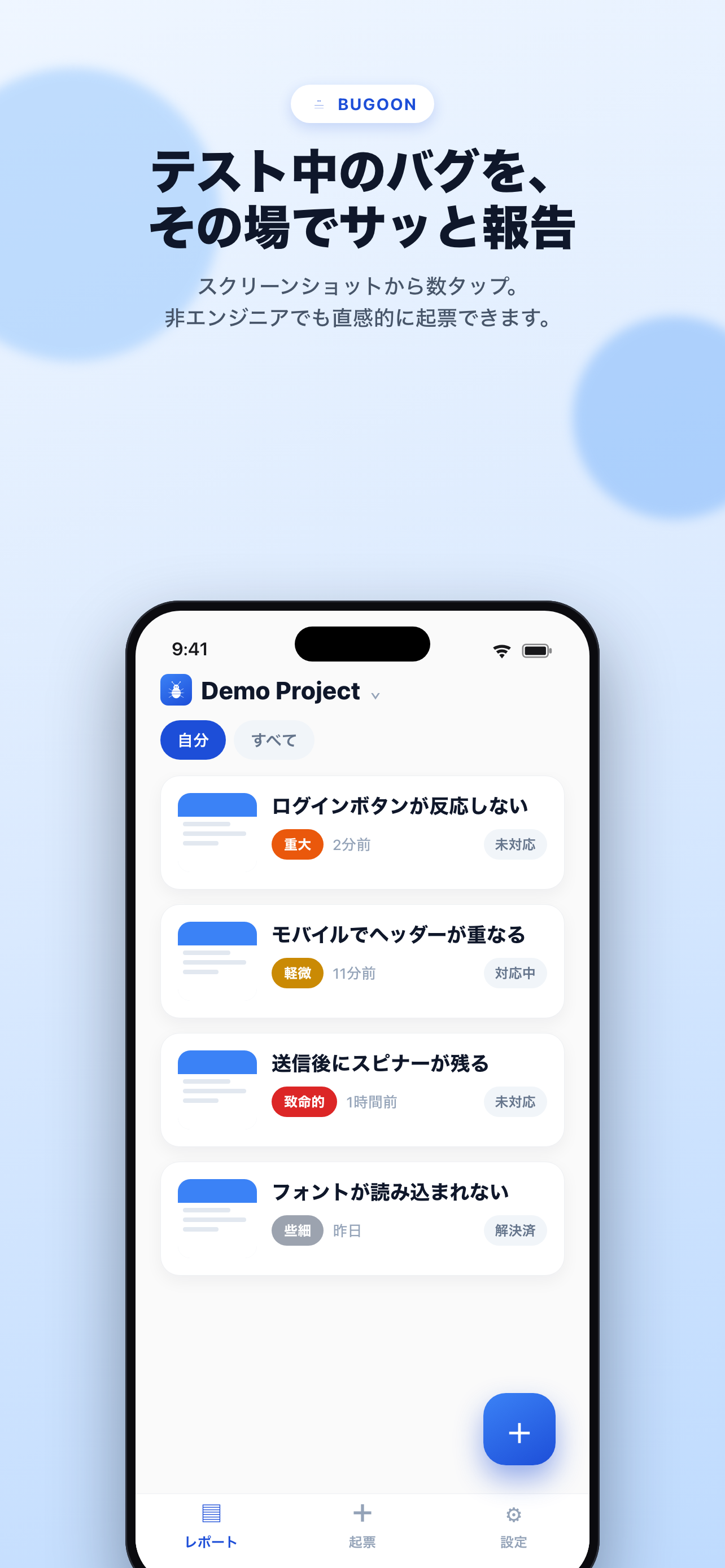
Spot a bug mid-test? Hit the share sheet, pick Bugoon, and you're done. Available on iOS and Android. Add details later.
- One tap from the screenshot share sheet to filed bug
- Tap the notification to add annotations and severity later
- Same project and dashboard as the web widget


Today, humans fix it. Tomorrow, AI can too.
Structured Issues are also the data AI needs for automated fixes. No need to rebuild your data when you're ready for AI.
Review triage and start working
Review bugs in triage status and move actionable ones to open.
Check the triaged bugs in Bugoon and move the ones to fix to open status
Fix open bugs one by one
Fetch open bugs in order, fix the code, and update the status to resolved.
Fix the open bugs one by one and mark them as resolved when done
Get bug details and fix
Fetch the full details of a specific bug report (environment, steps, screenshot) and fix it.
Get the details of Bugoon bug #42 and fix it based on the information
Bug fixes that happen on their own.
Loop engineering powered by Bugoon — AI triages your reports and opens fix PRs, automatically.
Triage Agent
Checks new bug reports every hour, automatically deduplicating and prioritizing them.
Auto-fix Agent
Opens pull requests with code fixes for high-priority bugs, automatically.
Human Review
AI proposes, humans decide. Final call always stays with your team.
Completely free. For teams too.
For personal projects and evaluation, use the completely free OSS version (bugoon-local) — no external services required. The cloud version is also free, including team collaboration, notifications, and status tracking.
Ready to end the back-and-forth?
Start completely free today and experience what it's like when QA and developers stop going in circles.